Why 0.1 + 0.2 isn't 0.3: floating point for working developers
Floating point isn't broken — it's binary. Understanding what it can and can't represent tells you when to use it and when to reach for decimals or integers.
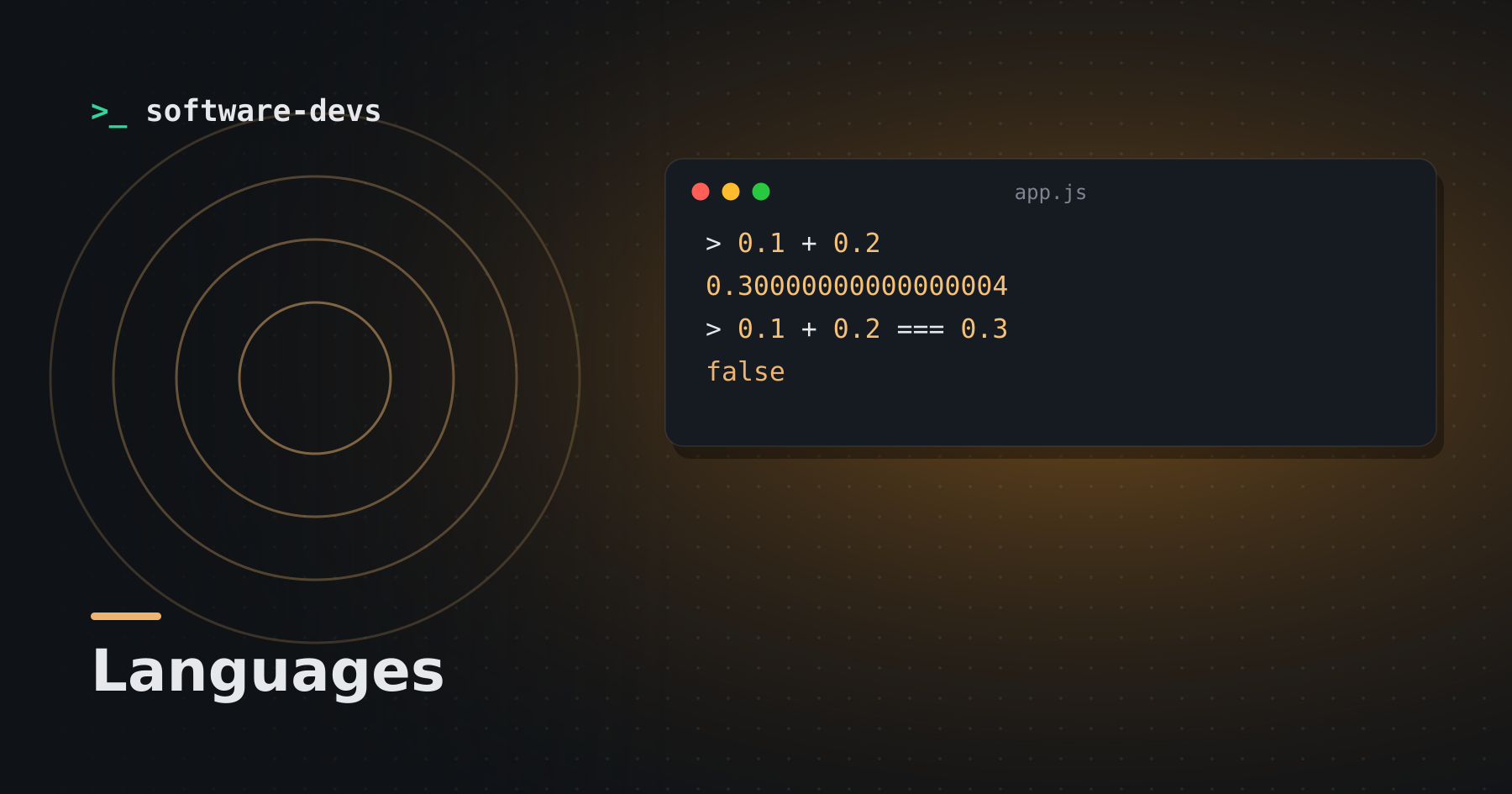
Open almost any language's console and type 0.1 + 0.2. You'll get 0.30000000000000004. It's not a bug in your language; it's how IEEE 754 floating point works.
> 0.1 + 0.2
0.30000000000000004
> 0.1 + 0.2 === 0.3
false
Why it happens
Floating-point numbers are stored in binary. Just as 1/3 can't be written exactly in decimal (0.333…), 1/10 can't be written exactly in binary. The stored value of 0.1 is extremely close to, but not exactly, 0.1. Add two approximations and the tiny errors show up.
A 64-bit float gives about 15–17 significant decimal digits of precision — plenty for physics or graphics, but not exact.
Comparing floats
Never use == on computed floats. Compare within a tolerance:
import math
math.isclose(0.1 + 0.2, 0.3)   # True
Money: don't use floats
Rounding errors accumulate across thousands of transactions. Options:
- Integers in the smallest unit: store cents, not dollars.
1999instead of19.99. - Decimal types:
BigDecimalin Java and Ruby,decimalin Python and C#,NUMERICin SQL.
Other surprises
- Large integers lose precision. Above 2^53, a 64-bit float can't represent every integer — a problem for IDs passed through JSON to JavaScript. Send big IDs as strings.
- NaN isn't equal to itself.
NaN == NaNis false. - Order of operations matters. Summing many small numbers into a large one loses precision; summing small numbers first is more accurate.
When floats are right
Measurements, scientific computing, graphics, machine learning and anything where approximate is fine. Use them where approximation is acceptable, and integers or decimals where it isn't.