Rolling, blue-green or canary? Choosing a deploy strategy
Every deploy strategy trades speed, cost and blast radius differently. Here's how the three common ones compare and when each makes sense.
"How do we ship without breaking things?" has three classic answers. They aren't competing fads — they're different trade-offs between infrastructure cost, rollout speed and how many users a bad release can hurt.
Rolling deploys
Replace instances a few at a time. At any moment, some servers run the old version and some run the new one.
- Pros: no extra capacity needed, simple to automate.
- Cons: old and new code serve traffic simultaneously, so both must work with the same database schema and API contracts. Rolling back means rolling forward again.
Blue-green deploys
Run two complete environments. "Blue" serves traffic; deploy to "green", verify it, then flip the router.
- Pros: instant cutover and instant rollback — just flip back.
- Cons: you briefly need double the capacity, and shared state (the database) still has to work with both versions.
Canary releases
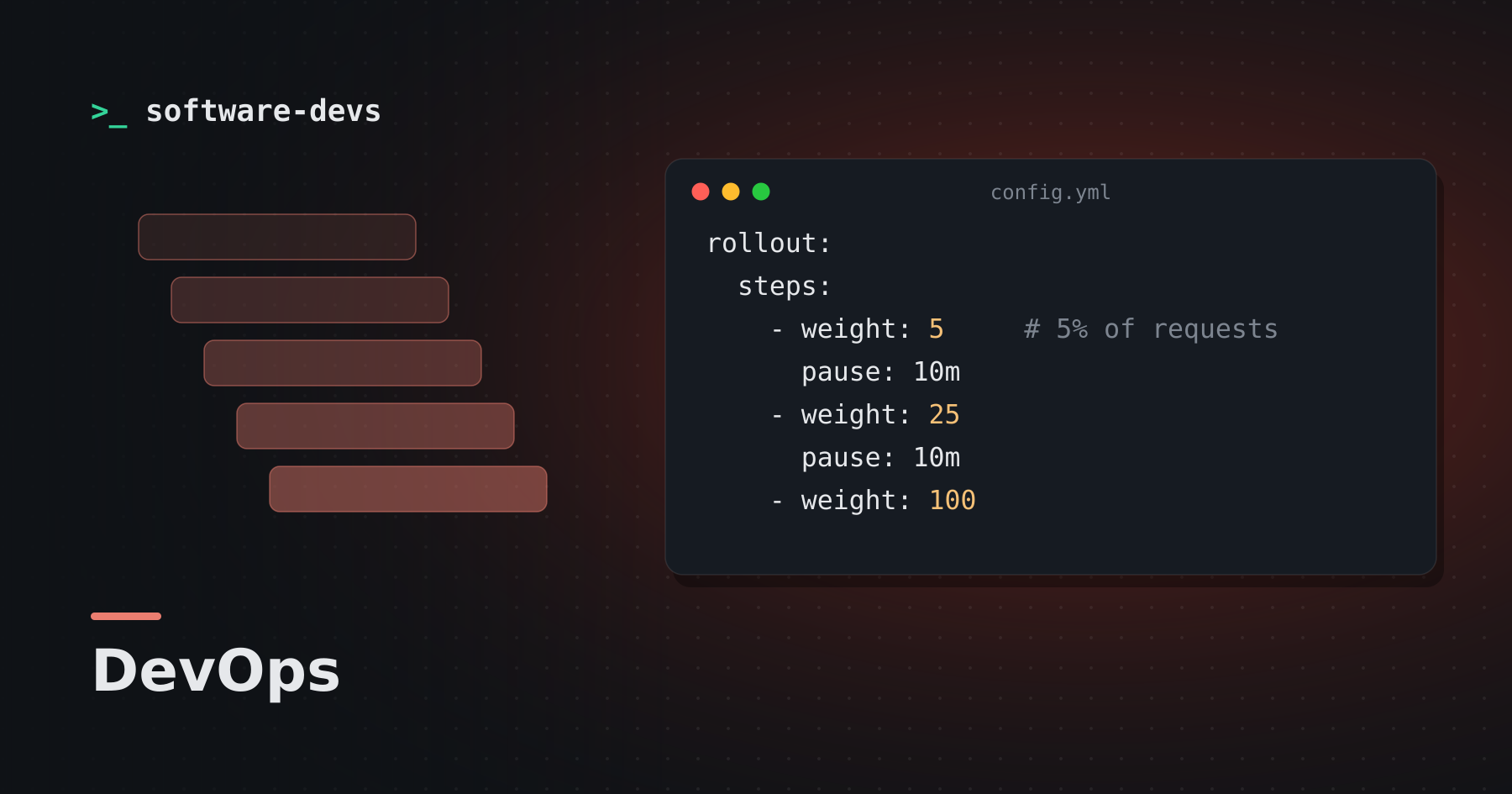
Send a small slice of traffic to the new version, watch your metrics, then widen the slice.
rollout:
  steps:
    - weight: 5     # 5% of requests
      pause: 10m
    - weight: 25
      pause: 10m
    - weight: 100
  abort_if:
    error_rate: "> 1%"
    p99_latency: "> 800ms"
- Pros: the smallest blast radius; real production traffic validates the change.
- Cons: needs good observability and traffic-splitting infrastructure. A canary with no automated checks is just a slow rolling deploy.
Picking one
| You have… | Start with |
|---|---|
| One or two servers | Rolling (or a proxy-based container swap) |
| A cheap way to duplicate the stack | Blue-green |
| High traffic and solid metrics | Canary |
Whatever you pick, the hard part is the same: every release must be compatible with the version before it, because for a few minutes both will be live. Design schema changes and API changes with that in mind and any strategy becomes safer.